How to Create the New Viral Mini Me Trend
This is how to create the new Viral Mini-Me trend on Instagram and Tik Tok.
I could be compensated, if you click on a link in this post via a cash payment, gift or something else of value for writing this post. See our full disclosure policy and privacy policy for more details.
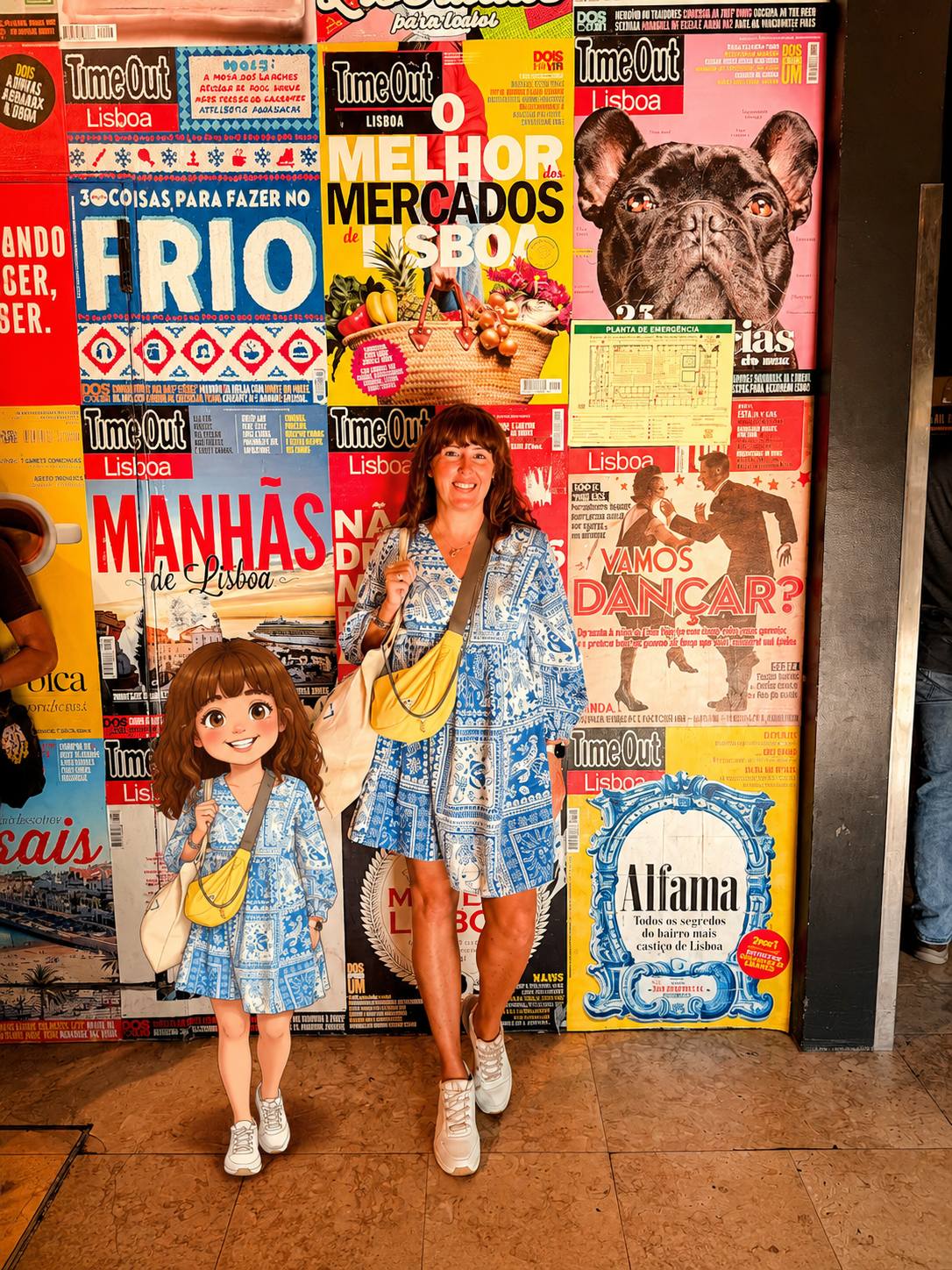
If you’ve been scrolling TikTok or Instagram lately, you’ve probably seen the adorable new “mini-me” trend taking over feeds. The trend creates a tiny cartoon version of yourself standing beside you, and honestly… It’s one of the cutest AI edits yet. I had so much fun doing it! Here are some tips and the full prompt I used!
The best part? It’s super easy to make.

Step 1: Take A Full-Body Photo
Start with a clear photo of yourself; you can get someone to take it or do a mirror selfie. This is the image the AI will use for your facial features and overall look. Make sure the lighting is good, and your outfit is visible. Choose photo from your camera roll taken in all different places too!
Step 2: Upload Your Photos
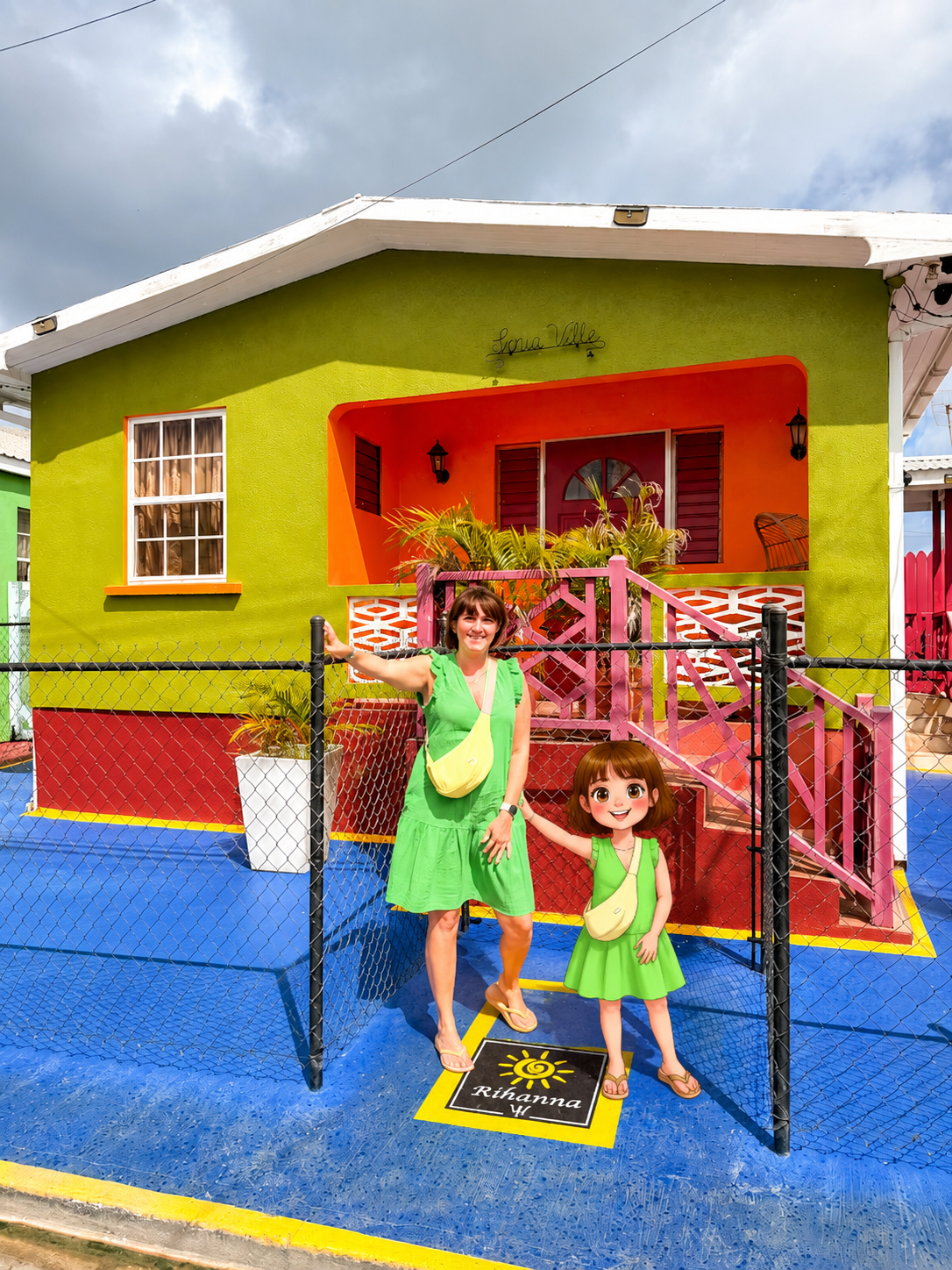
Upload your images to your chosen AI image generator or editing app. Most people are using ChatGPT image generation tools or AI art apps to create the effect.
Step 3: Add Your Prompt
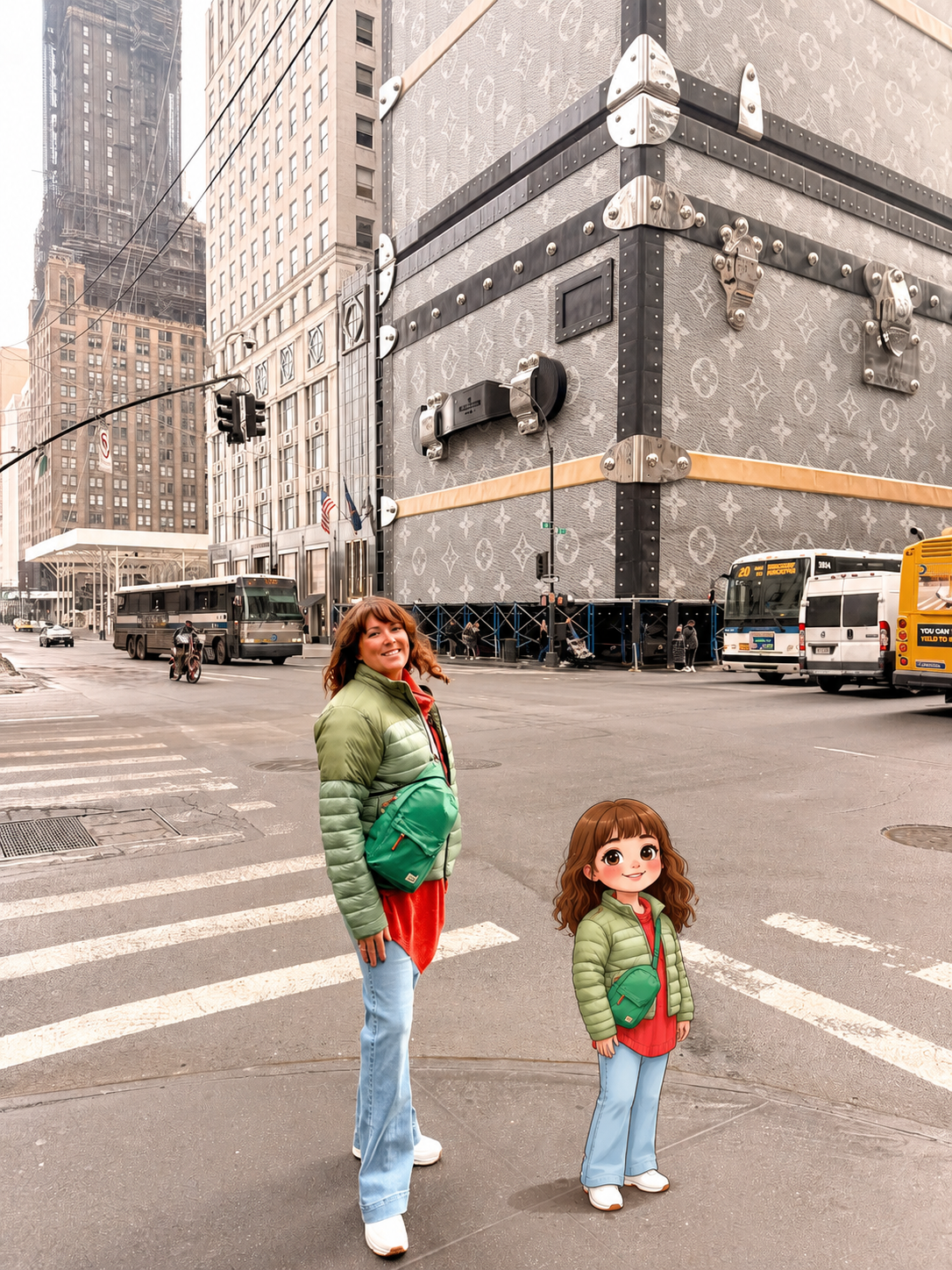
Use a prompt similar to this (see full prompt below!) :
“Create a side-by-side composition featuring the real person from the uploaded image and a simplified mini-me cartoon version beside them. Keep the original image unchanged with no edits to the background or person. Add a smaller cartoon version wearing the same outfit, styled like a cute collectible character with oversized eyes and detailed clothing.”
You can also customise the style of your cartoon:
- Pixar-inspired
- Bratz-style
- Anime mini-me
- Cartoon collectible
- Tiny travel version
- Chibi character

Step 5: Save & Post
Once your image is generated, save it and share it on Instagram or TikTok. Most creators are pairing the trend with fun audio, “mini me” captions, or transformation reels.

Tips For The Best Results
- Use bright lighting
- Wear detailed outfits for a better mini-me look
- Leave space beside you in the photo so the character fits naturally
- Keep the background uncluttered
- Use high-quality images for sharper AI results
My Full Chat GPT Prompt for the Viral Mini Me trend!
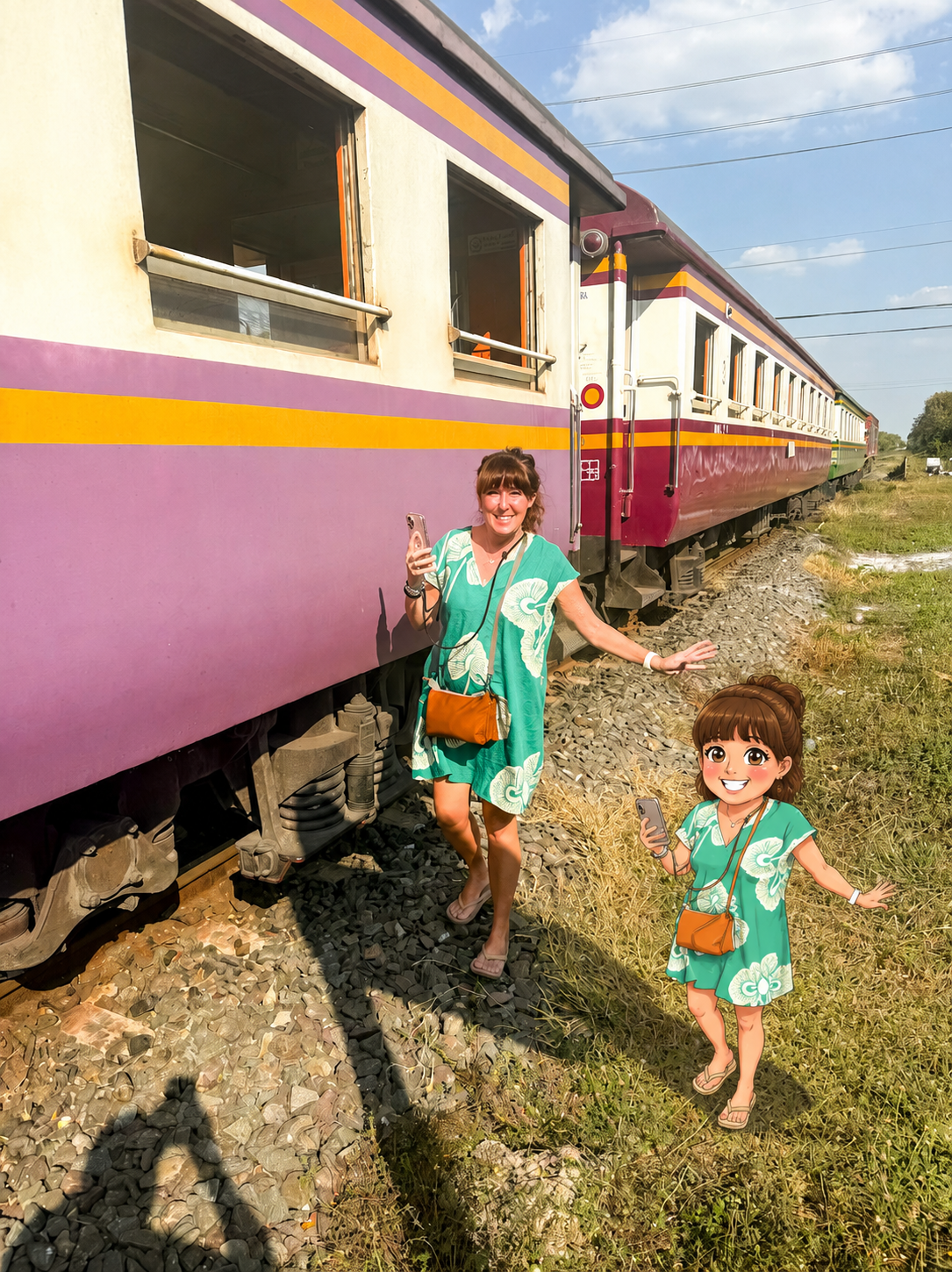
Create a picture of two people standing side by side using the uploaded photo and a stylised “mini-me” cartoon character inspired by the real person. Position the illustrated character slightly to either side, leaving a noticeable gap so the two figures do not overlap or touch. Preserve the original photo completely, including the background, lighting, framing, and proportions, while only adding the cartoon figure into the picture.
Design the mini-me as a smaller size companion-style character with a cute, feminine, hand-drawn appearance. Use smooth outlines, soft flat colours, minimal shading, and slightly exaggerated proportions such as larger eyes and a smaller body for a playful comic book look. Keep facial details simple and charming rather than highly realistic.
Match the character’s hairstyle, hair colour, skin tone, and overall vibe to the real person. Include a warm, friendly expression and recreate the outfit in a simplified cartoon form, focusing on the main colours and recognisable details without missing texture or intricate patterns of the outfits. Include and items the original character might be holding.
The pose should reflect the original person’s posture and energy, while feeling slightly more animated or simplified. Ensure the illustration blends naturally into the scene by matching the photo’s lighting and colour tone, and add a soft shadow beneath the mini-me for a grounded, realistic finish.
This trend is perfect for travel photos, mirror selfies, airport looks, cruise outfits, or even matching best friend edits. Honestly, once you make one, you’ll want a mini-me for every outfit.